How to Choose the Best Executive Desk for Your Office?
Choosing an Executive Desk is not just a matter of selecting a large, polished surface. The right desk should support the workday, fit the room, and feel comfortable after hours of use. Furniture designer Charles Eames offered a useful design principle: “The details are not the details. They make the design.” For an executive desk, those details include drawer placement, edge shape, cable access, and how much legroom remains beneath the top.
Start with the room and the work. Measure the available floor space, including clearance behind the chair and around nearby cabinets. Think about what needs to stay within reach: a laptop, monitor, paper files, phone, or a mug that somehow always ends up beside the keyboard. Looks matter. So does fit. A desk that dominates a small office may impress briefly, then make every meeting feel cramped.
Materials and construction deserve close attention. Solid wood can bring warmth and may be repairable, while veneers and engineered surfaces can offer a consistent finish at a different price. Check drawer movement, joints, and the stability of the frame in person when possible. Ergonomics matter too: desk height, chair adjustment, and monitor position should work together. Not every attractive desk will.
This guide examines size, materials, storage, style, ergonomics, and budget to help you compare options clearly. It also leaves room for a less tidy truth: personal taste can outweigh a checklist, and no specification sheet captures how a desk feels during a difficult afternoon. The goal is a thoughtful choice, not a perfect one.
Define the Role and Requirements of an Executive Desk
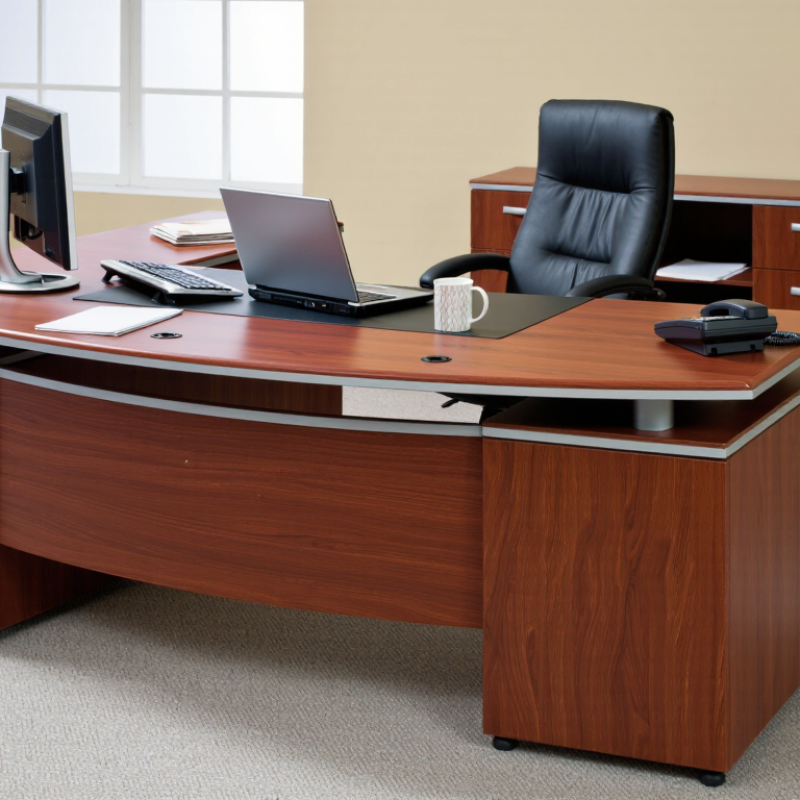
An executive desk should be specified around the work it must support, not its title or appearance.
Map a typical day: reviewing documents, video calls, signing papers, or spreading plans across the surface. The U.S. Bureau of Labor Statistics’ 2023 American Time Use Survey reports that employed people worked an average of 7.7 hours on days they worked. That makes sustained comfort and easy access to everyday tools practical requirements, not decorative extras. Measure the room, too. A desk that blocks a cabinet or leaves no space for a guest chair creates friction every day.
Next, define the equipment and storage needs.
List monitor count, laptop, keyboard, phone, task light, and frequently used files; then check that cables can be routed safely and drawers will hold actual items. OSHA’s computer workstation guidance recommends keeping the monitor directly in front of the user, with the top of the screen at or below eye level. A height-adjustable setup may help when several people share the desk. Not every executive needs a huge desk. The 2024 Gensler Global Workplace Survey gathered responses from more than 16,000 workers across 15 countries, reflecting varied workplace needs; a single “executive” layout cannot suit every role. Be honest about what is still uncertain: paper storage may shrink, or calls may increase. Leave room to adapt.
Evaluate Desk Size, Layout, and Available Office Space
Choosing an executive desk starts with the room, not the furniture catalogue. Measure the usable floor area, then mark the desk footprint with painter’s tape. Include the chair pulled back, visitor seating, file storage, and door swings. A desk that fits on paper may still block a cabinet drawer. Measure twice.
Plan the layout around movement and screen distance. The U.S. Access Board’s ADA Standards specify a 36-inch minimum clear width for accessible routes; keep that pathway open where applicable. OSHA’s Computer Workstations eTool recommends placing a monitor roughly 20–40 inches from the user, so allow enough depth for the screen, keyboard, and writing space. These figures are useful checks, not a substitute for testing the actual room. Sit at the intended position and confirm that the chair moves freely and the screen feels comfortable. I still find that a taped outline can make a room look deceptively spacious. Check the path again with the chair pulled out and someone seated across the desk.
Compare Materials, Construction Quality, and Long-Term Durability
An executive desk may look substantial while hiding weak construction. Solid hardwood can be durable, but wood movement may cause seasonal gaps or slight changes in alignment. Quality veneer over a stable core can also perform well and often costs less. Look closely at edges, corners, and the underside. Peeling veneer or rough seams can signal rushed assembly. Small details matter.
Construction affects daily use. Open and close each drawer; it should move smoothly without scraping or wobbling. Check whether drawer bottoms feel firm and whether handles are securely attached. A wide desktop needs dependable support, especially if it will hold monitors, books, and desk equipment. Press gently near the front edge and watch for flex. It is a simple check, not a laboratory test.
Long-term durability also depends on the finish and the room. A glossy surface may show scratches, while a matte finish can make dust less obvious. Ask how to clean the desk and whether the finish tolerates routine spills. For a busy office, sturdy joinery and replaceable hardware may matter more than decorative trim. I would not judge quality by weight alone; some dense materials still have weak joints. And even careful inspection cannot predict every year of wear.
Assess Storage, Technology Features, and Workplace Ergonomics
How to Choose the Best Executive Desk for Your Office?
An executive desk should support decisions, not merely display authority. Start by measuring the room, chair position, and daily workflow. Storage matters most when it stays reachable. Use shallow drawers for notebooks, lockable compartments for sensitive files, and open shelving for frequently used materials. A cable tray can prevent chargers from becoming a tangled pile beneath the desk. Leave enough legroom for changing posture during long meetings.
Technology features should serve the work. Look for built-in power access, discreet cable routing, and a stable surface for monitors or docking equipment. Wireless charging can reduce clutter, but it should not replace ordinary outlets. Check whether ports remain accessible after installation. That small detail is often missed. Test the desk with your actual devices, including heavier screens and video equipment. Specifications help, but a practical trial reveals more.
Ergonomics deserves careful attention. The desktop should allow relaxed shoulders, level wrists, and clear sightlines to the screen. A height-adjustable design may support both seated and standing work, though frequent adjustment is easy to forget. Set reminders. Choose a surface that feels comfortable against your forearms, especially during paper-heavy tasks. I once valued a dramatic, oversized desk and underestimated its reach distance. It looked impressive, yet daily movement became awkward. That mistake still influences how I assess executive furniture: appearance matters, but measurable comfort matters more.
How to Choose the Best Executive Desk for Your Office?
Assess storage, technology features, and workplace ergonomics before selecting a desk.
Storage
Choose drawers and cabinets that organize documents without reducing legroom or forcing frequent twisting and reaching.
Technology
Look for built-in cable routing, power access, and enough surface space for monitors, docking stations, and other work devices.
Ergonomics
The chart uses OSHA workstation guidance for minimum monitor viewing distance and under-desk clearance. Keep the area below the desk unobstructed.
Reference: U.S. Occupational Safety and Health Administration, Computer Workstations eTool. Measurements are shown in inches.